

Returns, exchanges and warranty claims for Shopify
Give your store a returns desk. Customers start a request from any order — or from a Returns Page with no login — add photos and answer your questions. You approve, reply and resolve in one logged thread inside Shopify admin. Refunds always go through Shopify.
30-day free trial · billed through Shopify · launching on the Shopify App Store
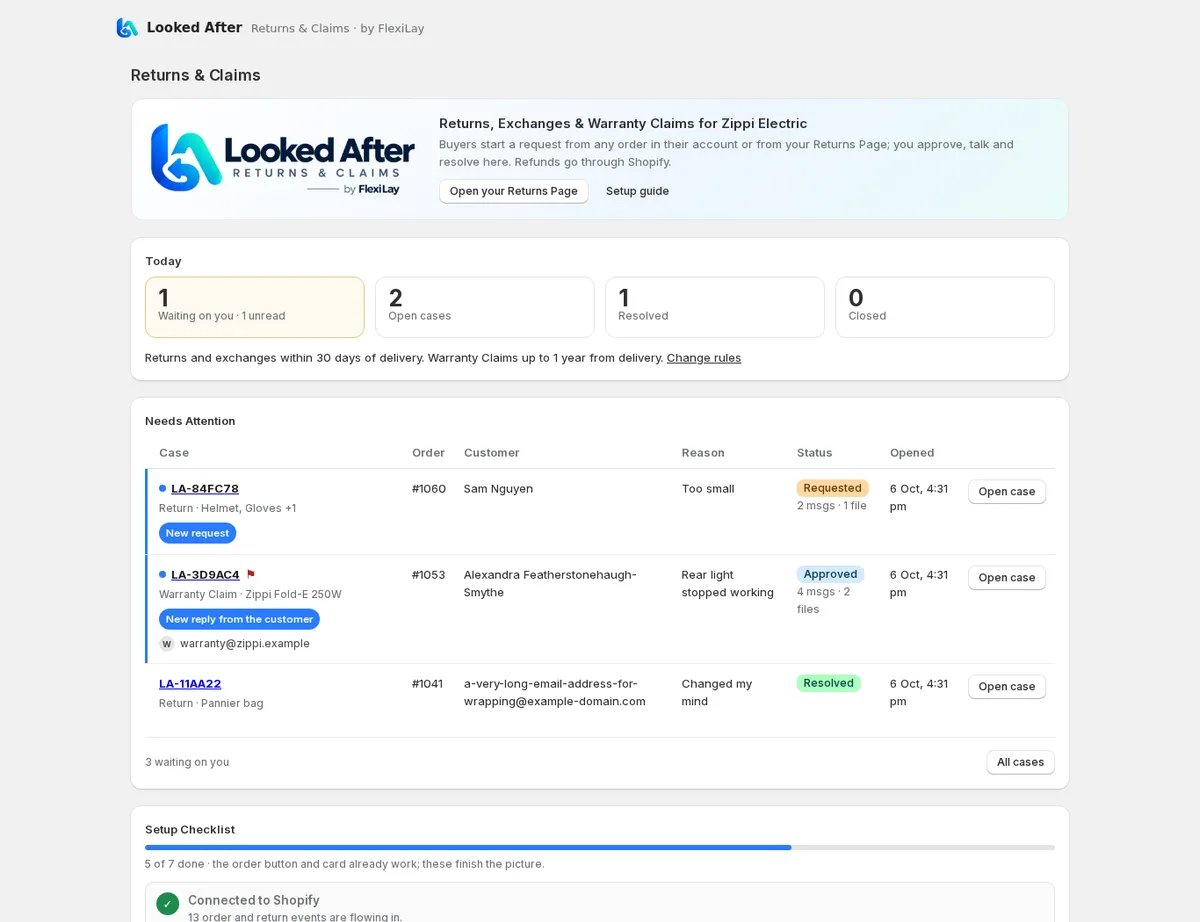
Returns shouldn't live in your inbox
One place for every request
Returns, exchanges and warranty claims arrive as cases with the order, items, photos and answers attached.
One thread per case
Reply from the case; the customer gets an email and answers from their case page. Internal notes stay with your team.
Always clear what's next
Each case shows whose turn it is and suggests the one action that moves it on — and explains what that action does.
How it works
The customer asks
From the order in their Shopify account, or your Returns Page with an order number and email or mobile.
Your rules check it
Windows, reasons, final-sale tags and who pays postage. Plain change-of-mind requests can be approved automatically.
You decide how to settle it
Approve and choose: refund, store credit, an exchange, a replacement or parts, or a repair. Send return instructions and a label.
Resolve in Shopify
Refunds and store credit go through Shopify, replacement orders are created in Shopify, and the case closes itself a day later.
A returns experience that feels like your store
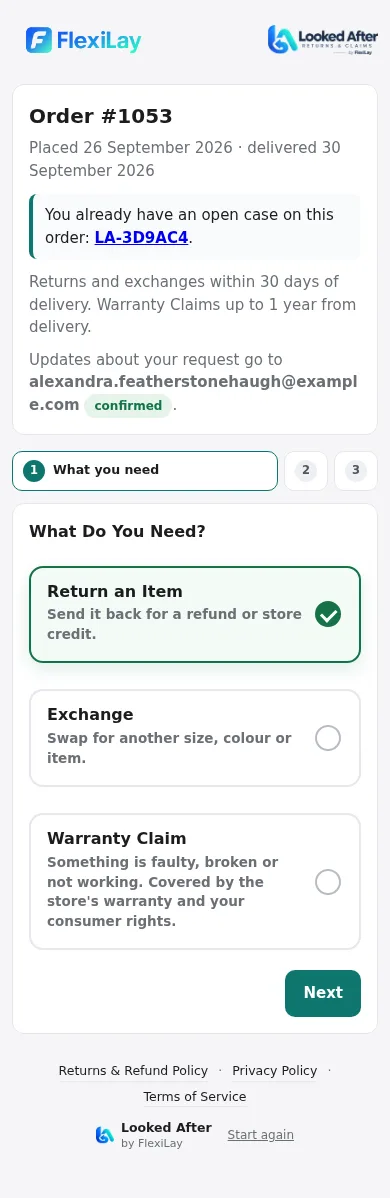
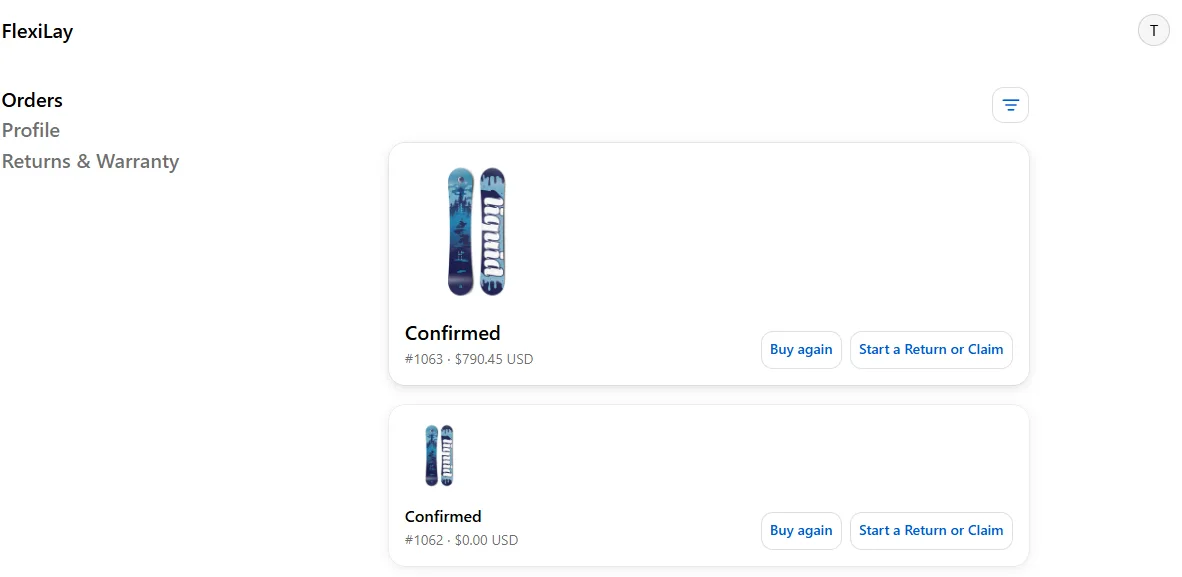
- A Start a Return or Claim button beside “Buy again” on every order in Shopify customer accounts.
- A Returns Page in your logo and colours for anyone without an account — order number plus email or mobile, nothing else.
- Three clear choices: Return an Item, Exchange or Warranty Claim, each saying what happens next.
- Tap-to-select items, a required “What happened?”, your own questions (serial numbers, part numbers) and photos.
- A case page with progress, who's handling it, the conversation, return instructions and a “I've posted it” form.
- Customers who ordered with only a mobile number confirm an email address with a 6-digit code, so you can always reply.

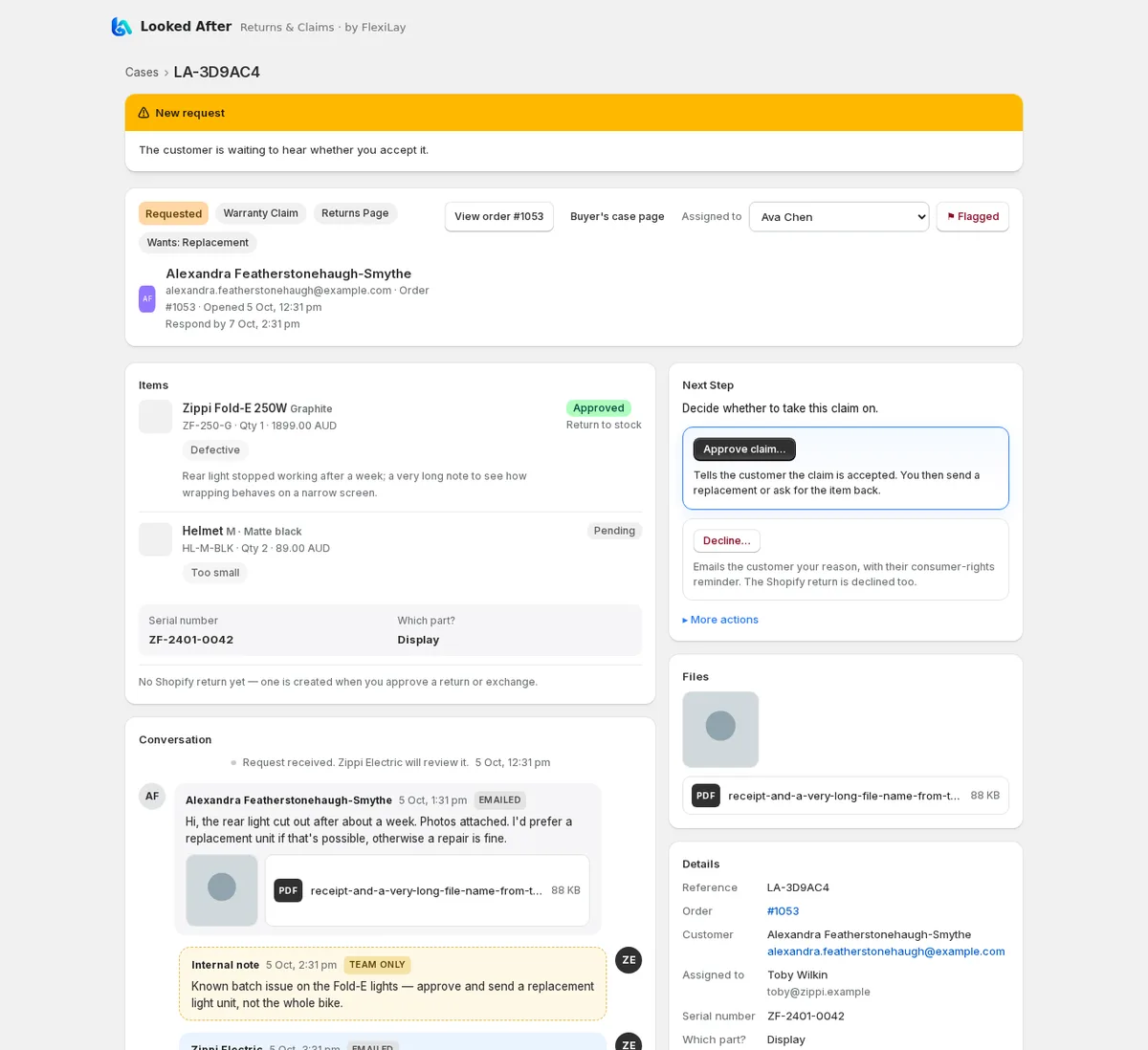
Everything your team needs to look after customers
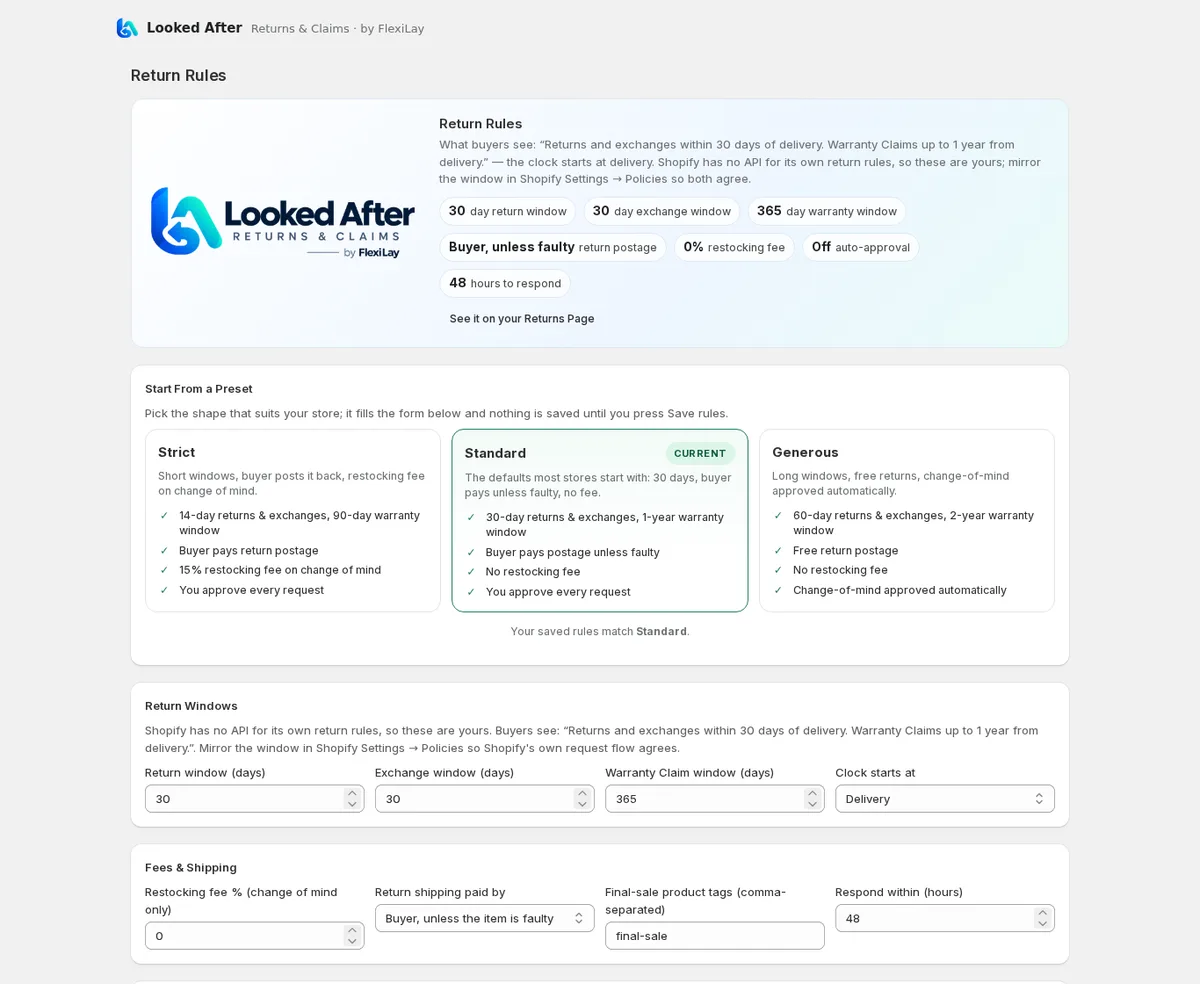
Rules and presets
Strict, Standard or Generous to start; then return, exchange and warranty windows, clock start (delivery, dispatch, order or lay-by release), restocking fee and who pays postage.
Next Step guidance
Every case suggests the action that moves it on — approve, send instructions, mark received, refund — with what it does spelled out.
Refunds through Shopify
Refund to the original payment method or issue store credit through Shopify, defaulting to the items paid less any restocking fee, with an option to restock.
Replacements and parts
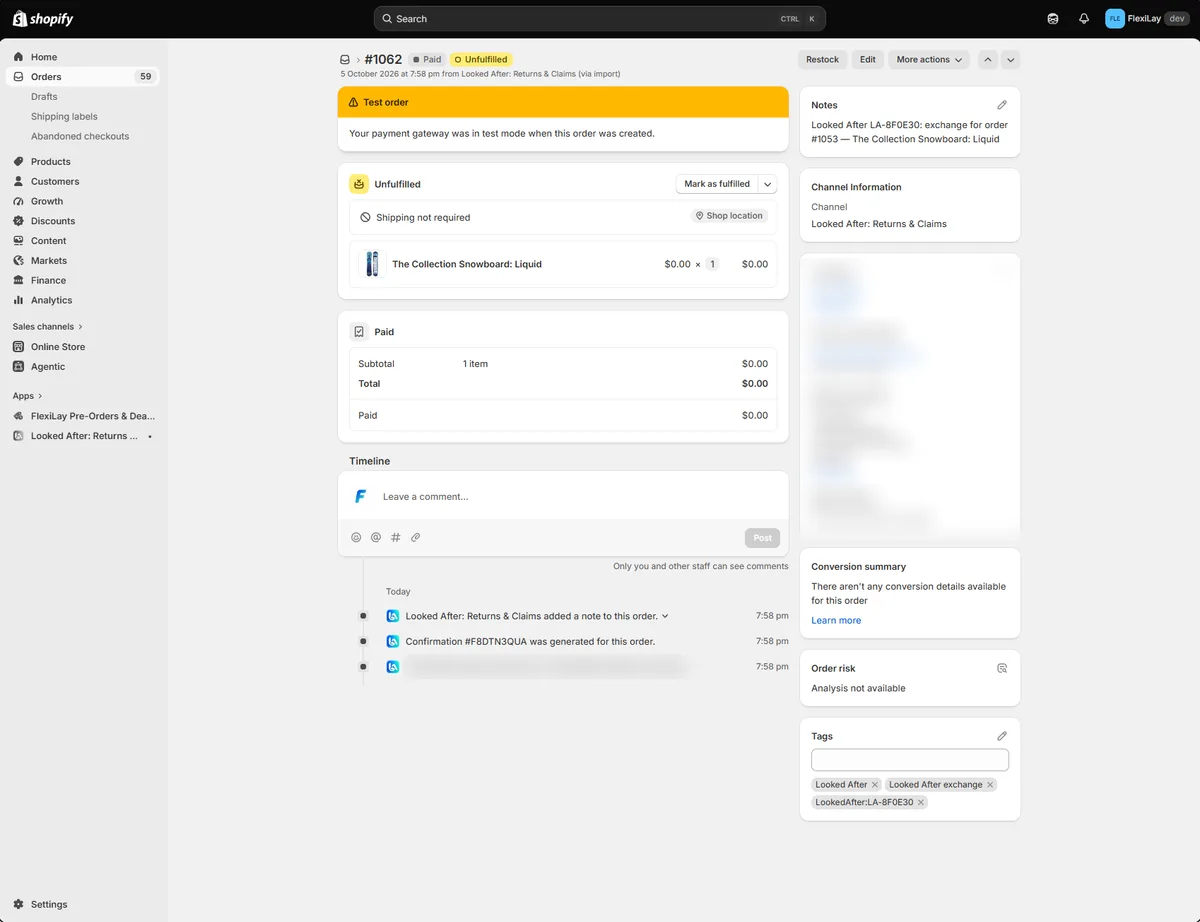
Send whole items or just the parts that broke, from inventory or as custom items. Looked After creates a $0 Shopify order tagged with the case.
Two-way Shopify returns sync
Returns raised in Shopify become cases; decisions in either place update the other; items received in Shopify mark the case received.
Team and routing
Add staff or a shared mailbox like warranty@yourstore.com, assign cases, and route claims, returns and exchanges to different people.
Built for warranty claims
Separate claim windows, questions such as serial and part numbers, and outcomes for repair, replacement, refund or credit.
Consumer-law aware
A short statutory-rights reminder worded for your store's country, and nothing is ever declined automatically.
Your brand, your policies
Logo and colour read from your storefront, policy links in the footer, and emails sent in your store's name.
Works inside Shopify, not beside it
Looked After runs in Shopify admin, adds its button to Shopify customer accounts, creates real Shopify returns and replacement orders, and pays refunds and store credit through Shopify. Your reports, inventory and fulfilment stay exactly where they are.
- Refunds never leave Shopify — Looked After doesn't hold or move money
- Replacement and exchange orders fulfil through your normal workflow
- Every case is tagged on the Shopify order with its reference
- Five-minute setup, with a step-by-step guide
Simple plans, priced per case
Starter
US$19 /month
25 cases a month, then 60¢ each
- Returns, exchanges & warranty claims
- Returns Page with no login needed
- Order button and account page for buyers
- Rules, windows & automatic approval
- Refunds and store credit through Shopify
- Return instructions & labels
- 3 custom questions · 3 team members
- 90-day attachment retention
Growth
Most popularUS$49 /month
100 cases a month, then 50¢ each
- Everything in Starter
- Up to 50 custom questions & team members
- Route cases by request type
- Replacement & parts orders from inventory
- Restock returned items on refund
- Flags & attention filters
- Consumer-law wording override
- 12-month attachment retention
Pro
US$129 /month
400 cases a month, then 40¢ each
- Everything in Growth
- SLA & response-time reporting
- Priority support
- Carrier labels (AusPost & Shippit, coming)
- 24-month attachment retention
- Lowest overage rate
Using FlexiLay Payments for lay-by? Growth is included at no charge while it's active on your store.
 Looked After by FlexiLay
Look after every customer, every time
Returns, exchanges and warranty claims in one place, settled through Shopify. Start with a 30-day free trial.