- Is Flexilay available on Shopify yet?
- Yes. Flexilay is an approved Shopify payment option, listed on the Shopify App Store as FlexiLay Payments — install it, connect your Stripe account and switch on LayBy at checkout. Flexilay is also live on WooCommerce, BigCommerce, Odoo, Xero and QuickBooks.
- What's the difference from Shop Pay Installments or Afterpay?
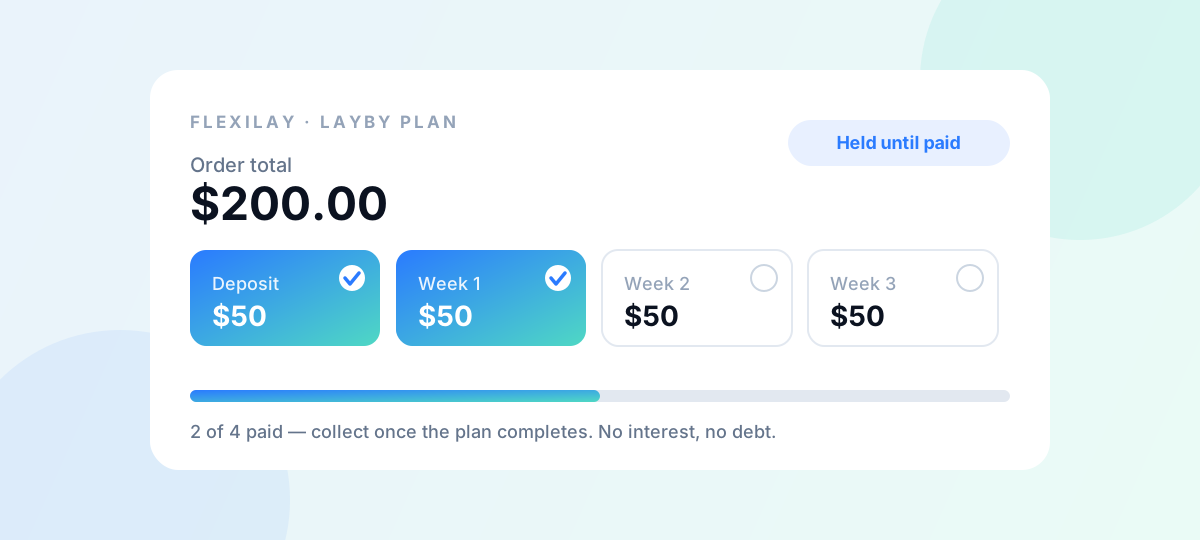
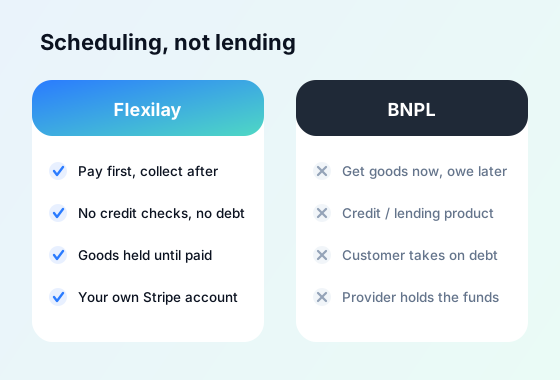
- Shop Pay Installments (powered by Affirm) and Afterpay are Buy Now, Pay Later services: they pay you upfront, ship the goods immediately and lend the customer the money, taking on the credit risk themselves. Flexilay is the opposite — it's LayBy payment scheduling. The customer pays for their order in instalments through your own Stripe account and collects once it's paid in full, with no lending, no credit checks and no debt.
- Will customers pay interest or undergo credit checks with Flexilay on Shopify?
- No. Because Flexilay is payment scheduling and not credit, there are no credit checks, no interest and no debt. Customers simply pay for their order over time in weekly, fortnightly or monthly instalments.
- How do I install Flexilay on Shopify?
- Log in to your Shopify admin and add FlexiLay Payments under Settings → Payments (our install link takes you straight there), connect your Stripe account and configure which products are eligible along with your deposit and schedule rules. LayBy then appears as a payment option at your Shopify checkout.
- Does Flexilay hold my customers' money?
- No. Payments run through your own Stripe account, and Flexilay never holds funds. You keep control of the goods and release them once the plan is paid in full, so there's no lending or money-handling risk for your business.
- How much does the Shopify layby app cost?
- Flexilay is free to use with no monthly or setup fees — just a small fee per completed order. See the pricing page for the current details.