

Sell it before it lands. Ship it once it's paid.
Pre-orders with release dates, pay-by dates for any product, and every order tagged and held in Shopify until it's paid in full and ready. Free, from the FlexiLay team.
Free · works with any payment method · lay-by at checkout with FlexiLay Payments
Two things a store shouldn't have to babysit
Keep selling at zero stock
Make a product a pre-order in one step. The storefront says when it ships, Shopify labels the line Pre-order, and the cap stops you overselling.
Nothing ships early
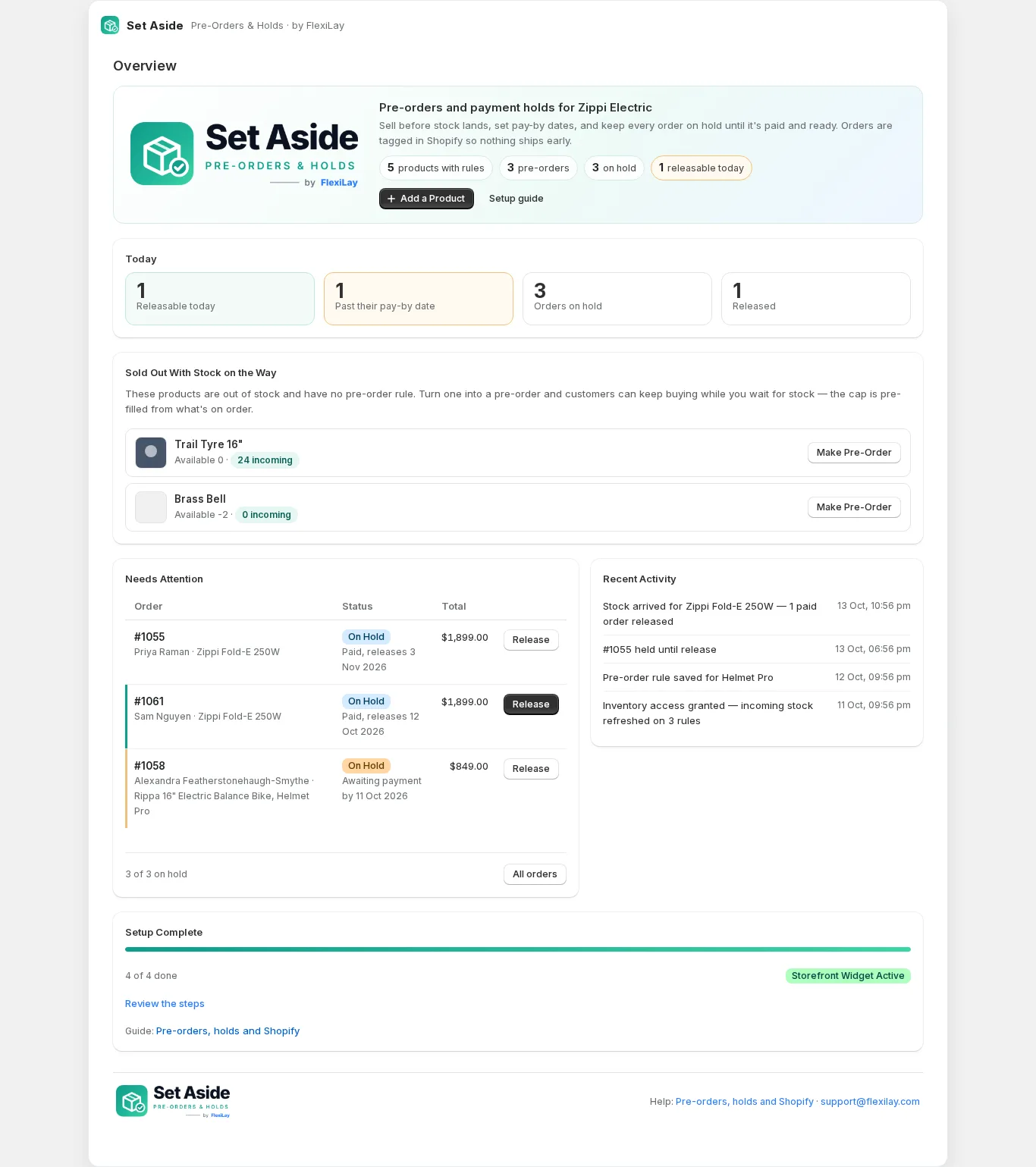
Every order with one of your products is tagged and put on a Shopify fulfilment hold the moment it's placed, whatever it was paid with.
Released when it's right
Paid in full and the release date has arrived, or the day the stock lands, or when you press Release. Customers are told each step.
How it works
Set a rule
Pick a product, a collection or a tag. Give it a release date, a pay-by date, or simply “hold until paid”.
Customers see it
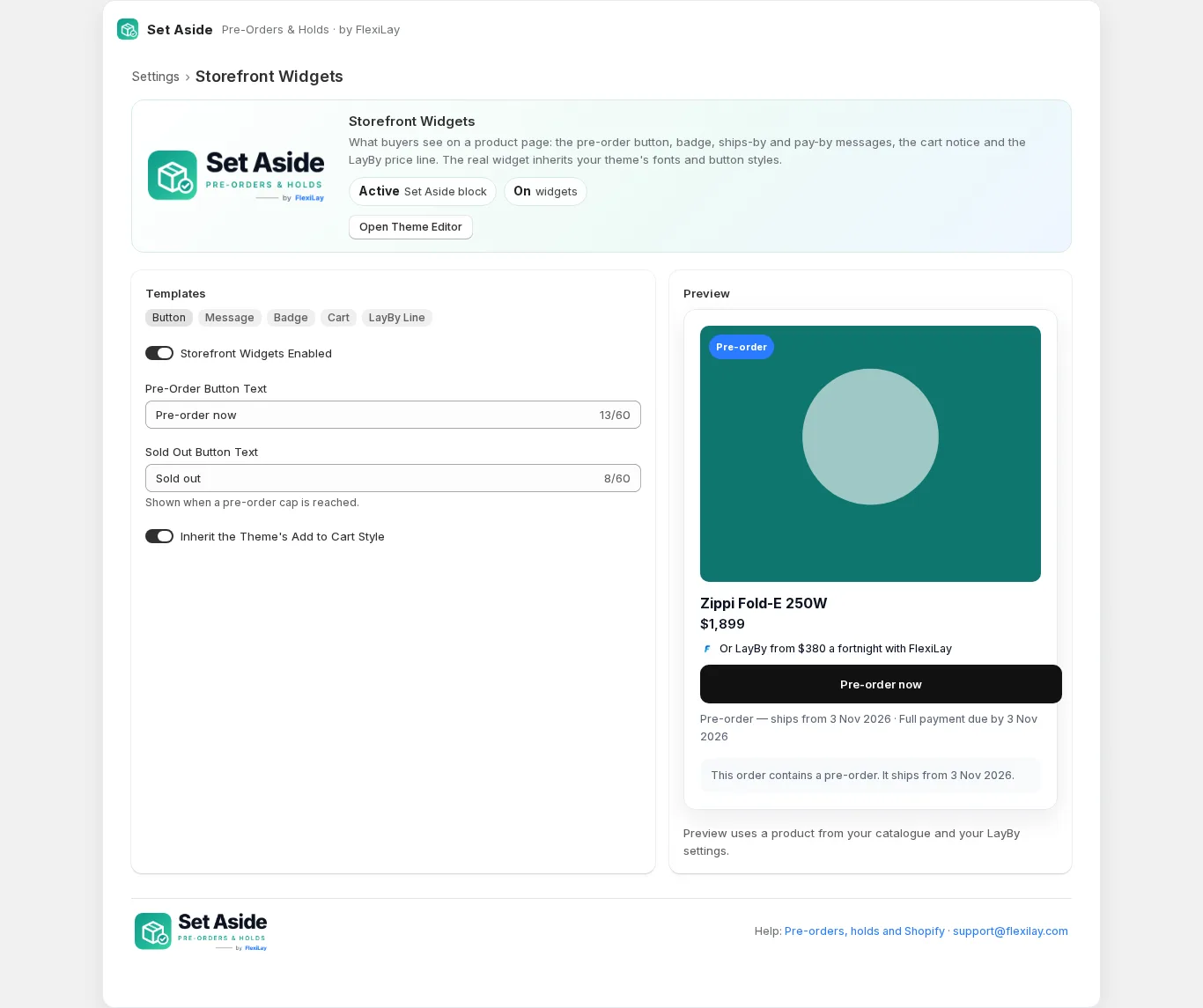
Pre-order button, badge, ships-from and pay-by messages, a cart notice, and the LayBy price line if you offer it.
The order is held
Tagged Pre-order, Pay-by and On hold in Shopify and put on a fulfilment hold your warehouse or 3PL respects.
Released
Automatically when it's paid and the date arrives — or the day stock is received — with a release email to the customer.
Your words, your theme, your product
- A pre-order button in your wording, inheriting your theme's button style.
- A badge on the product image and, if you like, on collection cards.
- “Ships from 3 November · Pay by 27 October” under the button, above it, or below the price.
- A notice in the cart when it holds a pre-order.
- With FlexiLay Payments: “Or LayBy from $216 a week” on every product, from your real schedule settings.
- One switch in the theme editor; works with every current Shopify theme, with selectors and data hooks for custom builds.
Everything a pre-order needs, nothing it doesn't
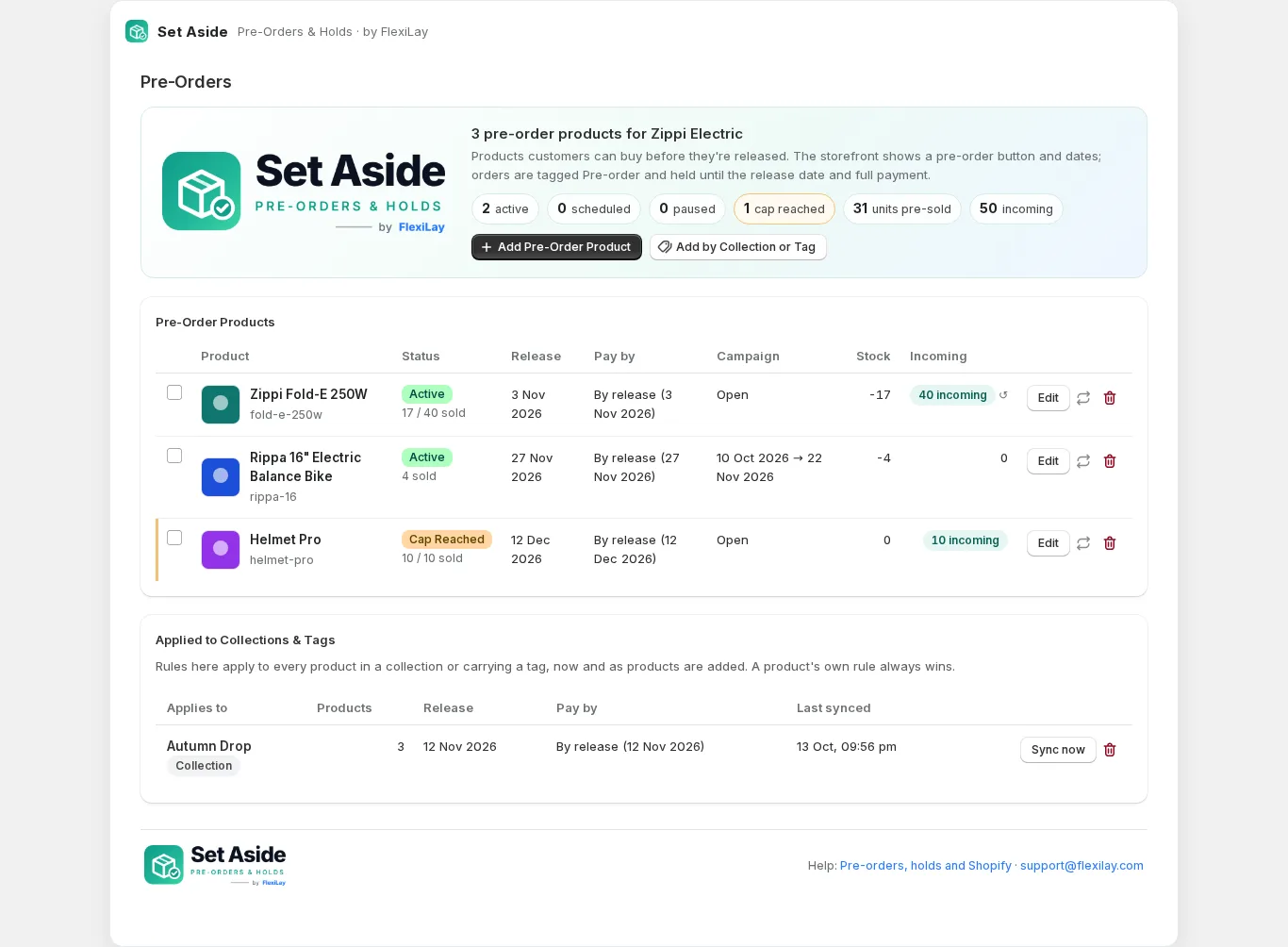
Release dates and pay-by dates
Paid by the release date, a fixed date, days after the order, or hold until paid. A store-wide default for the rest.
Per product, collection or tag
One rule for a whole drop, picked up as products are added. A product's own rule always wins.
Caps and incoming stock
Cap the units you'll pre-sell, set it from a purchase order in one click, and release paid orders the day the stock arrives.
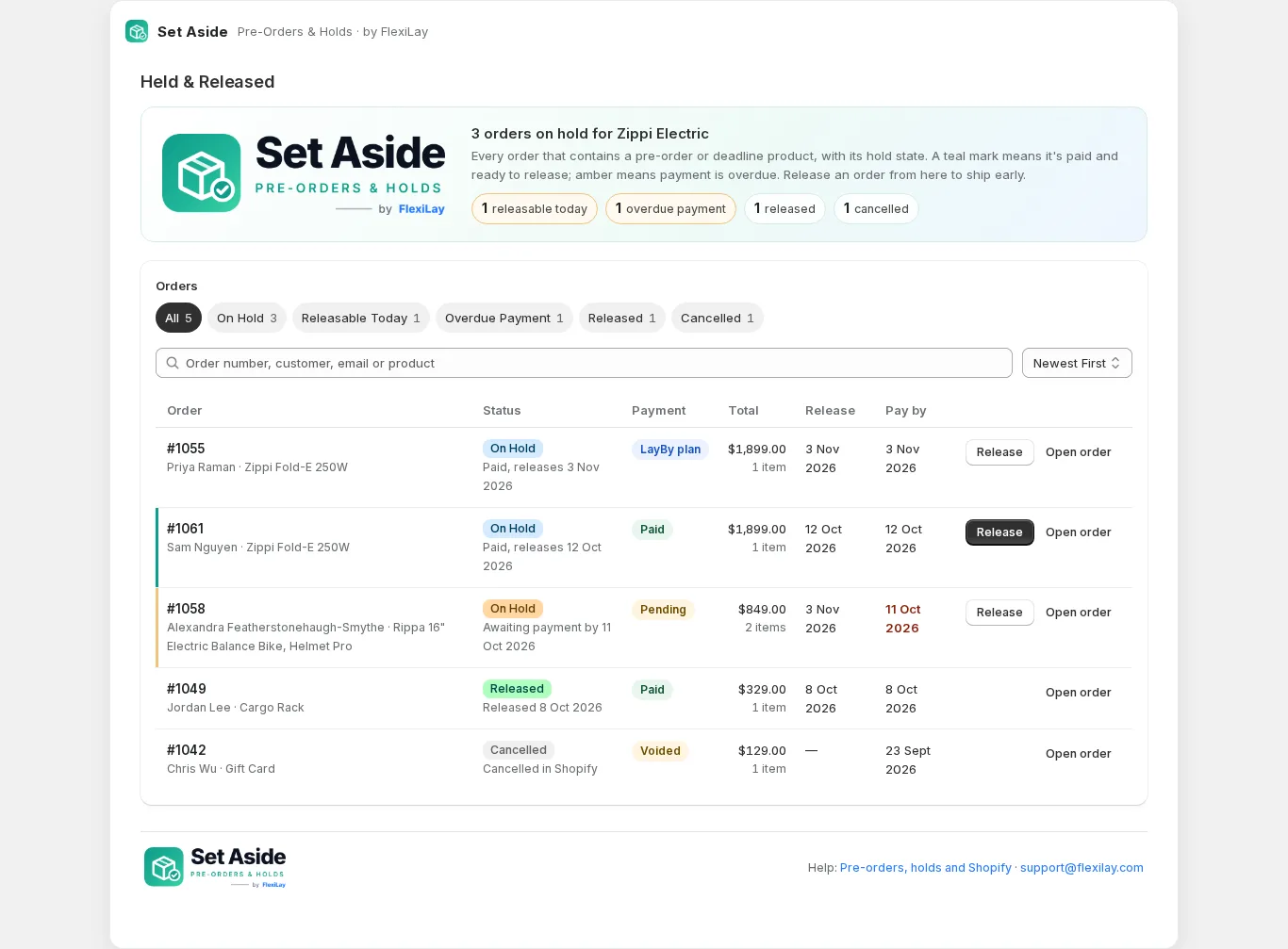
Holds your team can see
Shopify fulfilment holds with the reason in the note, plus Pre-order, Pay-by and On hold tags on every order.
Release on your terms
Automatic when paid and due, early with one click, or the moment stock lands. Paid pre-orders can also ship as soon as they're paid.
Emails that keep customers calm
Confirmation, pay-by reminder, release notice and a shipping-delay email when a date moves, all editable, plus your daily digest.
Sold out with stock on the way
The Overview lists products at zero stock with units incoming; Make Pre-Order sets it up with the cap pre-filled.
Lay-by at checkout
Add FlexiLay Payments and the pay-by date becomes the plan's end date; pre-orders release when the plan completes and the date arrives.
Campaign windows
Start and end dates for a pre-order campaign, a Sold Out text when the cap is reached, pause and resume in bulk.
Shopify-native
Real selling plans, real fulfilment holds, real tags. Warehouses, 3PLs and Flow see exactly what Shopify sees.
A guide for every step
A setup checklist in the app with the next step highlighted, and a full merchant guide.
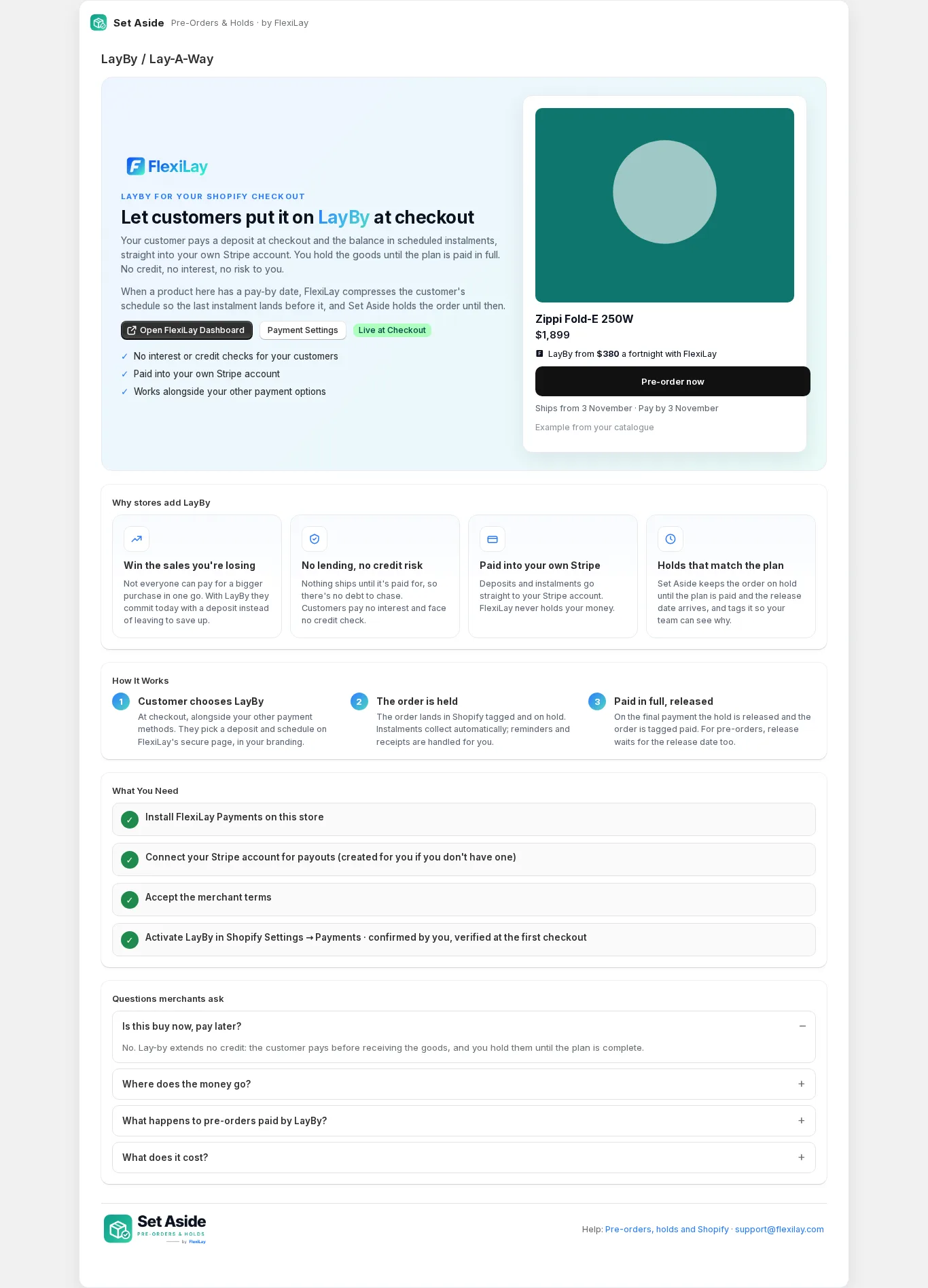
Pre-orders that customers can pay off
Set Aside holds the order. FlexiLay Payments lets the customer pay it off: a deposit at checkout and the balance in instalments into your own Stripe account, with no credit and no interest. Together, a product's pay-by date becomes the plan's end date, and a pre-order is released when the plan completes and the release date arrives.
- Lay-By / Lay-A-Way appears beside your other payment methods at checkout
- Instalments are compressed to finish before the product's pay-by date
- The LayBy price line on every product page, from your real settings
- Both apps are by FlexiLay; Set Aside works without the gateway too
Free. Really.
 Set Aside by FlexiLay
Take the order today. Ship it when it's right.
Pre-orders, pay-by dates and fulfilment holds for Shopify. Free, set up in ten minutes.